DELIVERY COORDINATION FOR SUBCONTRACTORS

Run every delivery from one live schedule

Delivery Scheduling

Give project teams a clear way to request delivery times. Keep your logistics team in control of every booking. Give drivers one up-to-date run sheet.

  • Fewer calls and texts
  • Clear truck availability
  • Faster schedule updates


Delivery coordination gets messy fast

One site texts. Another calls. A delivery changes. A driver is already on the road.

Soon, the schedule is spread across inboxes, spreadsheets, and one person’s head.

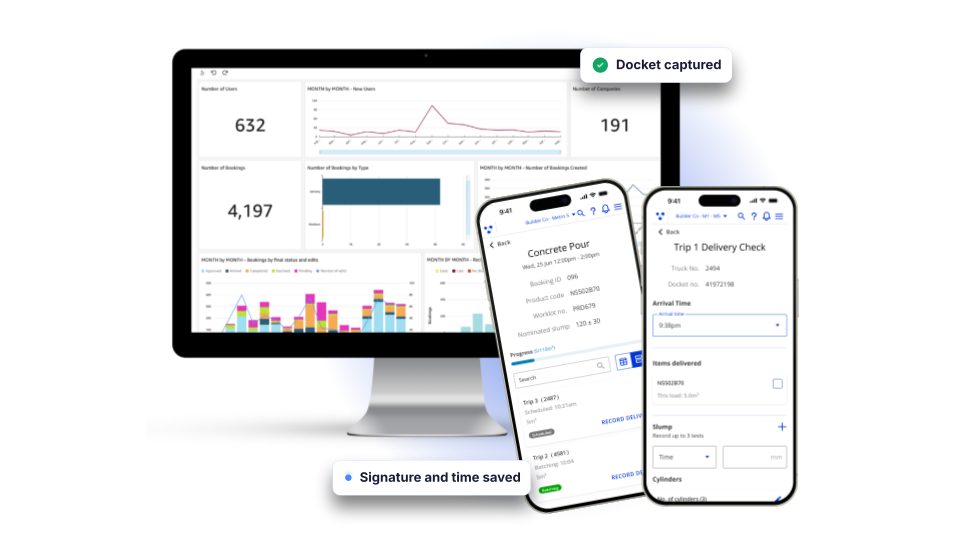
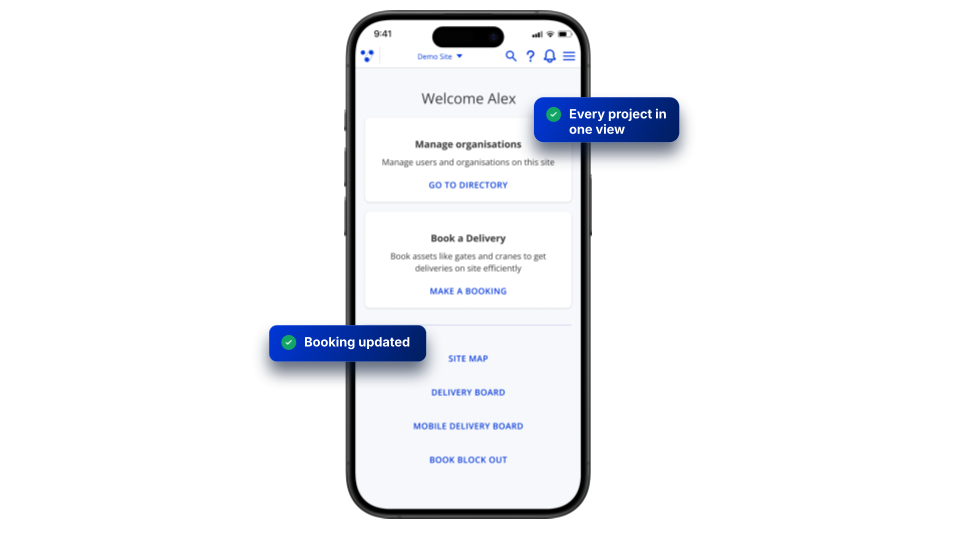
Veyor brings delivery requests, truck availability, bookings, and updates into one place. Your team can plan ahead, respond quickly, and keep every job moving.

One schedule. Fewer crossed wires.

Veyor Subcontractor Deliveries

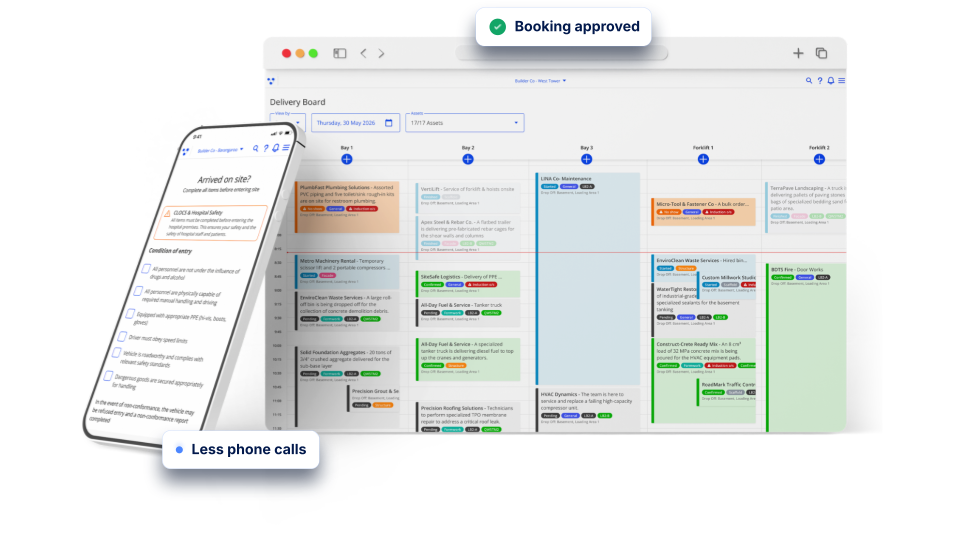
Give sites a clear way to request deliveries

Project teams can see availability and request a delivery time without another round of calls, emails, or messages.
Driver Communication

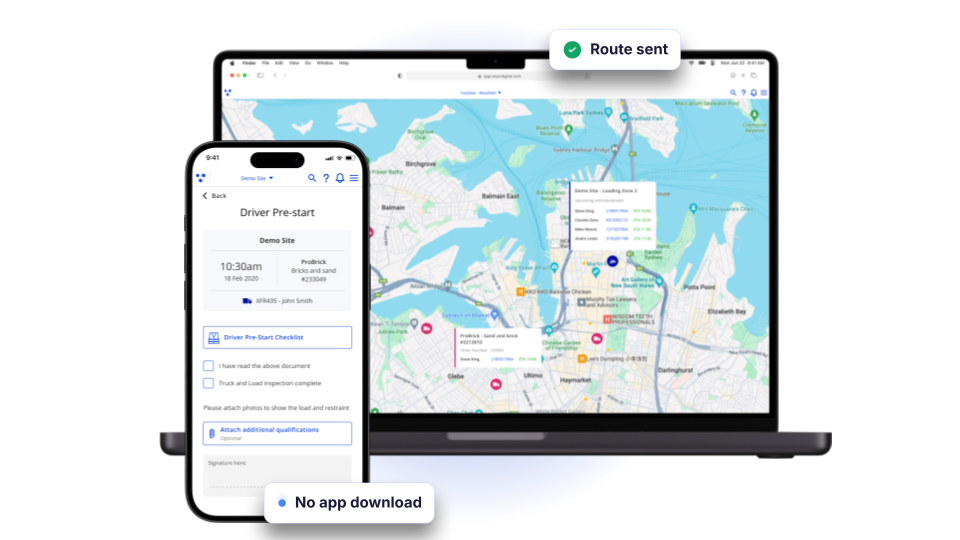
Give every driver the full job

Keep collection times, routes and site requirements connected to the delivery, whether the driver is internal or third-party.
Driver and vehicle checks

Complete the checks before dispatch

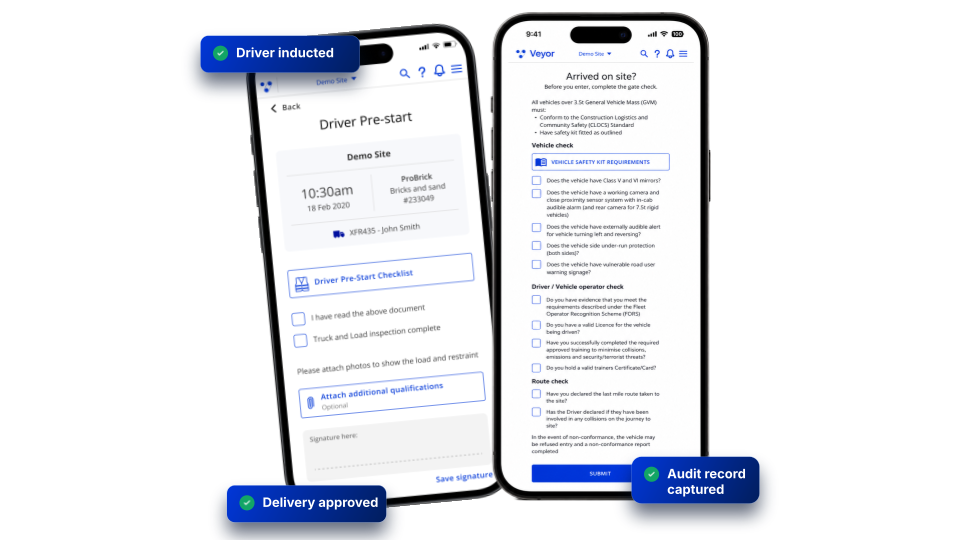
Create a consistent record of the checks completed before materials leave the warehouse or yard.
Proof of Delivery

Track the delivery. Keep the proof.

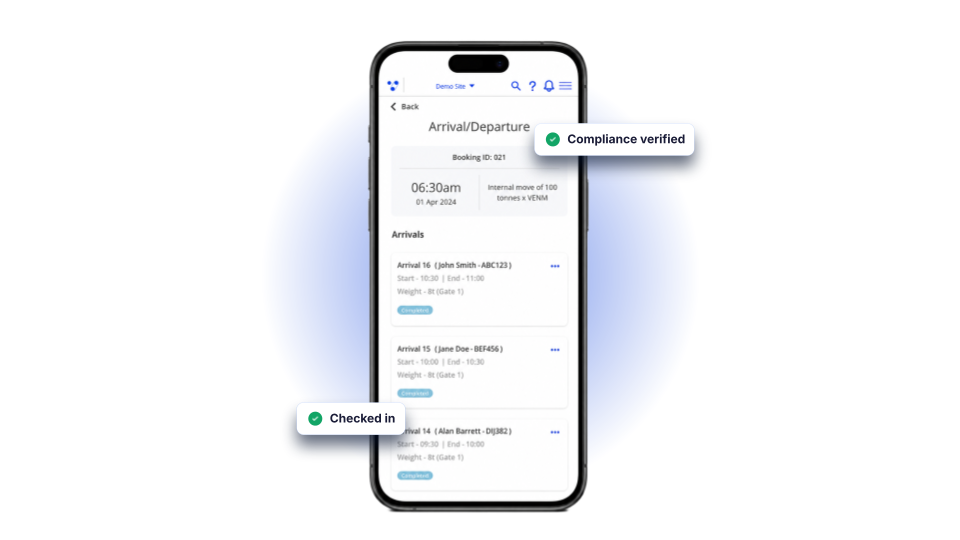
Know what happened from preparation and dispatch through to arrival onsite.
Veyor on Mobile

Keep the delivery plan with you.

Review schedules, make updates and keep the day moving from your phone.
Subcontractor CoR

Support CoR from dispatch to delivery

Put driver, vehicle, load and safety checks into one clear delivery record.

Know what’s booked, what’s available, and what changed

Veyor gives your logistics team one place to manage the delivery plan.
See incoming requests. Check truck availability. Make changes before they become problems. Keep sites, warehouse teams, and drivers working from the same information.

From request to arrival,
keep the plan clear

Steps - Subcontractor 1

Step 1: A project requests a delivery

The site team selects an available time and sends the request through Veyor.

Steps - Subcontractor 2

Step 2: Your team stays in control

Your logistics coordinator can approve, edit, or decline the request.

Steps - Subcontractor 3

Step 3: Everyone gets the update

The relevant teams are notified when a booking is confirmed or changed.

Steps - Subcontractor 4

Step 4: The driver gets the latest plan

Drivers can see their live run sheet and the information they need for each delivery.

What is Veyor?

Veyor is a live delivery management and scheduling platform. It brings delivery requests, bookings, availability, driver information, and updates into one place.

Is Veyor for subcontractors, too?

Yes. This workflow is designed for subcontractors managing regular deliveries across active projects. It is especially relevant for teams coordinating trucks, drivers, warehouse activity, materials, or site delivery requests.

How do project teams request delivery times?

Project teams can view available times and submit a request through Veyor. Your logistics coordinator can then approve, edit, or decline the request.

As the subcontractor, do we keep control of the schedule?

Yes. Your team reviews incoming requests and decides what works based on the availability of your trucks, drivers, and delivery operation.

What happens when a booking changes?

The booking can be updated in Veyor and the relevant teams can be notified, helping reduce missed updates and last-minute confusion.

Can drivers use Veyor?

Drivers can view a live run sheet showing their current delivery plan and relevant requirements.

Can Veyor replace our spreadsheets and group chats?

Veyor gives your team one shared place for delivery requests, approvals, updates, and records. During the demo, we’ll map it against your current workflow and show you what can be brought into the platform.

Does Veyor work for businesses managing multiple projects?

Veyor can support subcontractor delivery coordination across active jobs. The exact setup and access model will depend on how your clients, project teams, logistics coordinators, and drivers need to participate.

What happens during the demo?

We’ll learn how you currently manage delivery requests, trucks, and drivers. Then we’ll show you the relevant Veyor workflow and answer questions about setup, access, and pricing.

Procurement Trackingv2

Take the back-and-forth out of deliveries

Bring every request, booking, and update into one live schedule.

See how Veyor can fit your operation and give your team more control over the day.